Showing posts with label Computer. Show all posts

5/01/2014

Remotely Access Your PC

Who has not received a call from a family member or a friend asking them to solve this or that problem on your computer , and when we try to explain by phone step by step what to do not find things and tell us: " I has left a screen that says ... "or" I see nothing here that ... "or" it will not let me ... " . Is there anything more tedious than not get along with a person who speaks the same language and you want the same? I think this problem caused the diversity of religions.
Then we tell our interlocutor : "we do anything , God will provide,"EPA! go within , you have to say, " do not do anything , I will go to your computer and you notice how I'm going fixing ... " .
If this is the first time will be surprised and think we're hackers we can snoop on your herbs and whenever we want , so you should make it clear : " to do so I need you to give me permission to your team , then we will shield your PC" ( shielded PCs can also break ) .
You have to explain step by step how to do all that seems so rare and if you still appreciate some nervousness in his voice rough , you have not believed us and that we should add " look, it's not like before , we now have laws that criminalize perfectly privacy offenses , eg Protection Act Personal Data you can access on the Internet and also on your screen you will see everything I do, I will not copy the porno movies ... I all " .
If you are not yet the idea seems to suggest that we can call a technician , typically charge 50 euros an hour , and , almost certainly , will ask remote access to your PC.
The steps to establish remote connection from PC to PC are:
0 - . Installed must have all ( things Uncle Billyto ) MSN Messenger, or you have an E-mail account to Microsoft ( hotmail , msn ... )
. 1 - See if the OS is compatible with ours, we have to have both the same OS to perform remote access, version does not matter . This is Start> right on My Computer> Properties > General tab Raton.
. 2 - Check the Internet IP that has placed him at the time and tell us . This is Start> Run > type " CMD" and we intro> type " IPCONFIG " and we give intro . The IP is a string of four numbers separated by periods , as we have said can write the "EXIT " and give intro, or simply close the window.
. 3 - Allow remote access. This is Start> right on My Computer> Properties > Remote Access > mouse and activate the box that says Allow ... > OK. Often we also have to disable the Windows Firewall or antivirus , ie , the one on, momentarily , of course.The Windows Firewall is Start> Control Panel> Windows Firewall> select Off > OK. If we have a powerful antivirus such as Norton, we will have the Windows Firewall (weak) off, and we should be clear on this . To do this we set icon Norton is in the start bar ( lower right corner) and open it with the right mouse and select Open Norton Protection Center > Options > Norton Internet Security > Personal Firewall > and Protection Firewall chose Off > OK.
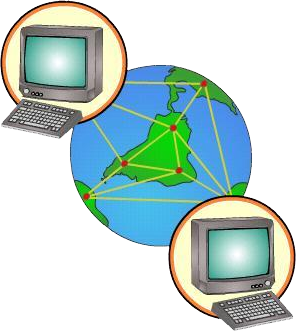
. 4 - Get the remote computer. This is done from Start> All Programs> Accessories > Remote Desktop Connection > write the IP you want to access and we intro .
5 - . Once we have solved the problems of the remote computer must be repeated on this , step 3 , but this time to remove the permit remote connection and then restart the Firewall which we operate .

4/30/2014

How to Save Videos From Youtube


YouTube videos are videos made in flash , hence the extension. Flv ( not to be confused with flash animations . Fla ) . When seen from the YouTube page or another page that has embedded one of the videos , we feel that we can not save because there is no button that gives us the download , nothing further.
The same applies to Google videos . This is a format that is in fashion because it is comfortable for servers and webmastes but quite uncomfortable to pardillo that we were all , who wants to save and not see a single button that should be there to download.
Among such a fuss with hacking, agilipollada jargon means that we sometimes computer , and discrimination is sometimes inadvertently heavyweights from cyberspace , no wonder at all that the poor unsuspecting average sailor , I freaked tenegamos in half the digital divide is therefore assumed that all strive mightily to dissolve .
Let's take a little soap to these honorable Youtube videos . It's pure appearance that we can not keep us jokes and whack someone in your day altruistically hung there for the joy of the Information Society as a whole.
In fact, when we see these videos is because they remain in the cache until the computer turned off . The hard part is to locate save , but there is free software that makes this work by us with YouTube videos and many other video types ( not all) that apparently can only be viewed on- line manner .
I recommend ATube Catcher and you can download it here .It is incredibly simple to use but if you have a problem you can also check your Minimanual .
However, there are other programs that once downloaded and installed on your computer, offering to save these videos as it should , ie asking a name and location for them before, during or after viewing.
Programs that can store and play off -line video like YouTube FLV are called extractors and can distinguish four ons FireFox browser and therefore valid for both Windows and Macintosh or Linux , and all of them are free and very simple and wizard-driven installation :
• Youtube Downloader HD can save movies with standard resolution in AVI and FLV , and what makes it special : videos in high resolution HD MP4 and AVI
• DownloadHelper also allows download MP3 , MPEG , MOV ...
• Easy Video Downloader and performed like a Spanish but the page jumps to another page and another and gives flogera read both .
• UltraGet Video Downloader is also quite good.
• Media and Fast Video Download Pirate are two other options to individual taste .
On the other hand, for those sites that send videos with RTMP protocol instead of the traditional HTTP , we have:
• Replay Media Catcher is installed only on Windows and costs about 40 euros with two month trial .
To associate the Internet Explorer had:
• FLV Getter has already been removed , and I know of more special for the Explorer since long ago I gave up to get it.

4/29/2014

How to Play FLV Videos

FLV stands for Flash Video and programs that perform the task trivial play FLV readers called because paradoxically, Adobe Flash Player does not work to play flash videos.

This software allows you to view all our multimedia browser that exiben wonders from all corners of the Web to almost all the commercials we see on television.
These files are installed in flash SWF documents with extension without Adobe Flash Player , which should come from the factory with all operating systems , instead of the clip or animation should look no further , a warning appears with a link that lets install .
Download it if you have it so you can view all pages correctly, however , this software can not see the flash , ie , the FLV videos.In order to see the flash videos you have to download and install one of the following free programs ( I recommend this first) :

• VLC Media Player a blast.

VLC Media Player plays almost any audio and video. Surely this ability is the reason why millions of users consider the best.
 

 Compatibility with all types of media files is because VLC Media Player brings its own set of codecs. Thus, VLC is not dependent on that have installed in Windows .The interface of VLC Media Player has no secrets even for novice users. It handles with ease. Despite this, it also features advanced options like streaming to send a video signal over the Internet.Throughout its development , the program has been specializing in video playback . This is clearly seen in the possibility of adding subtitles and handle multiple audio tracks associated with a film.Another aspect that makes many users opt for VLC Media Player is the ability to open incomplete video downloaded via eMule . But I told you not okay?VLC Media Player supports the following formats : 3GP [2 ] , ASF , AVI , FLV , MKV , QuickTime , MP4 , Ogg , OGM , WAV , MPEG -2 (ES, PS , TS , PVA , MP3) , AIFF, Raw audio , Raw DV , FLAC
 
• FLV Player ( Windows only) allows developers to play Flash FLV videos without having to load them from the server.Simply select the file you want to play and drag on the player interface FLV Player to viewing it .FLV Player includes the standard playback controls and if you can attach it directly to the FLV format to open with a double click.
• Bitcomet Player of the same company that BitTorrent and Windows Version
• A Wimpy audio and video equipment that can include anywhere on your website. Wimpy AV will automatically present and play an entire folder full of FLV, SWF and MP3 files directly on a web page.

4/28/2014

Ways To Share Files Over The Internet


There are several ways to share files, we have recommended that Google Docs is great for file sharing office (small) with specific groups of people, for example , a teacher with his students, and also lets not have the package installed Ms Office as they are online editable way , perfectly compatible and to top it can be sent in various formats ... Allows you to store 1GB of such files , which are many ... All this is explained in this brief tutorial I leave Google Docs available as you like , by the way , is on my computer (another form of files even longer to explain share ) so if not low in a given time is because it is off or has been a fire , then Try in another times.
Google Docs is perfect therefore to leave the task to kids , which made ​​them online and return it to us arisen I deem , and we fix it then, of course , each student should save your work done with another name for no confict of versions . The problem will be how to prevent copying and sharing the task between them ... is the eternal conflict between good and evil.
DROPBOX

But what happens when I want to share myself my files between all my computers? It's not a millionaire and enchant me be the last , but the circumstances have me as a wanderer , "from pillar to post ." I go crazy with the "spike " from one PC to another trying to synchronize changes relizados while riding the bus or bike , that was when I became inspired ... for it is Dropbox, you download it, you open 2'25GB a free account , you put there your works of electronic art, install it on all computers that you want to synchronize (where not install it so you can work online ) and BuAla , skewer the strike. Well, it 's that the spike is a fantastic and essential tool that frees us to be hateful CD bugging me is thatXXXX ! ... Well , I will not say bad words .

MEGAUPLOAD , FILESERVE ...


But we are talking about relatively small files what if you want to share (hey, only my most amiguísimos but would be " violators " of copyright) , for example, the five seasons of the prestigious series of theoretical physical comedy "Big Bang Theory" we have already downloaded on your PC to view them again and again ? For those cases we have to open an account at Megaupload, Fileserve or any of these do not charge of course, and just send the link to our who is extremely friendly , do not let the public for everyone as you could canear . If anyone is interested in knowing more details than me or comment me and send an emilio and will post a tutorial.
YOUTUBE

If someone wants to hang a video that despite little or very short and want to share with the whole world can open global Youtube account and upload there all you want but do not individually exceed 10 minutes in length or 100MB of weight, although they say that since is owned by Google it has been increasing to 2GB ( I have not tried ), if more time or space can chop any video editor and upload it in parts. It is better to carry it up with quality parts at once and of poor quality , as we tend to see Youtube on TV, and there are no current videos for mobile . Nor is it difficult but if someone wants a minitutorial as we seek and hung , because we diffusers of knowledge, or that we have enrolled here do not you think ?
NOTE : Sorry for the violent end of " rapists " , but according to the dictionary of the Royal Academy of SGAE that violate the rights of sales is a rapist , I have no guilt or exaggerating and that a backup is made disco Melendi as it looses a pepito with peppers over your original CD , called " pirate " like a black beard, the British royal Navy , or those who traffic in human beings in the USA -Mexico border .
There are many more , of course , but with these and we can defend very well.

How to convert any file to PDF

There are several applications for this task , but as is standard we choose a free blog that is easy and reliable , such as PDF Creator , a virtual printer that does is convert any text or image file to Portable Document Format ( PDF ) format serving basically anyone alter files that are to be distributed.

The first is to download PDF Creator , installed and ready .
Installation steps :

    
Accept terms of use . Next.
    
Install the " OfferBox explorer" say no and start the real shock.
    
The real installer opens and choose the language. Next.
    
We accept the agreement. Next.
    
We chose standard installation. Next.
    
We leave the name as is . Next.
    
We leave the installation folder as it is. Next.
    
Uncheck the tab set Yahoo as the default search engine . Next.
    
In custom installation uncheck all meno aid in English and spanish language. Next.
    
We make the tab not create folder in the start menu. Next.
    
PDF Creator associate the furthest extension . Ps and others as is . Next. Install.

Virus Removal Recycler

I've done except try here this virus because I've found everything from those who confuse it with the trash , which is so called , and they say that nothing happens until that has been replicated them for all folders and all partitions eating it all, and having to reformat your PC to remove it.
The truth is that the recycler does nothing more than replicate, the problem is that it can be used for any other virus as a tree of pointers to spread throughout the team and good fat fuss . In fact to be a simple multichain of pointers, what antivirus are not dangerous and not detected because itself brings nothing more than your order active replication . The only thing that deletes antivirus is NOD 32 V3.0 , which makes me think that these are their manufacturers (though I will not get paranoid or empastillar me again ) .


This is a very common virus in networks where there is much clicking your USB pirulos , universities and shops as people . Their managers are not to blame , even , they are often used to clean this bug across the network , from time to time. If networks are great with the whole community without having the network in a morning , a day , even more Tiampo , while the clean , and the next day someone get infected again and back again spike, so no would put the penis -drive on a PC at my university or prophylactic .
If you got us into our PC and we have the antivirus NOD 32, get off the Malwarebytes (if you want to read a second opinion from other experts and in Spanish can download it from here) , is free and disinfects not see. You install it , restart your computer in safe mode with free to register and you put the entire team. If you have many little things you might have to return the next day, this in-depth analysis and everything is suspect compared with databases maintained by thousands of users worldwide every day.
This type of cyber evils antinode called Malewarebytes will give you instructions to follow when finished, and you may find some surprises spies and you did not know ...
If you piratilla your eye with cracks , select what you are deleting or you might miss them.
As usual, there is a way to do it like beasts , to me has ever gone well but I assure you that will always work, I did the following:
. 1 - Start >> Run and type " cmd" ( in windows 7 I think " cmd" he writes in the Find panel home) . DOS simulator , a black pantalluca sometimes called command line or command prompt will open .... 2 - Here we write C : \> taskkill / f / im explorer.exe we complete the process for windows explorer .. 3 - Then we write C: \ > cd Recycler. 4 - Then enter the following command to remove RECYCLER attributes , we must keep in mind that recycler has a different sequence numbers for each computer that is different ; mine is for example : S -1-5-21-2025429265-879983540-1801674531-1003 I wrote then :C : \> attrib - h -r- s S -1-5-21-2025429265-879983540-1801674531-1003. 5 - Since we have changed the attributes to this sequence , we will castrate renaming the virus to not be recognized :C: \ > ren S -1-5-21-2025429265-879983540-1801674531-1003 xxxxNote : no matter the letters end we put the name you want .. 6 - Now also eliminated from the DOS command line :C : \> attrib - s - h -r Recyclerand thenC : \> rd / s Recyclerasked to confirm S / N to remove the RECYCLER folder , give YesNote: the entire process must be repeated in other units it besides C: \ > or replicate but after restarting the computer to D: \ > E: \ > F: \ > and all drives hard to have.
Summary of commands:
Start >> Run "cmd"C : \> taskkill / f / im explorer.exeC: \ > cd RecyclerC : \> attrib - h -r- s S -1-5-21-2025429265-879983540-1801674531-1003C: \ > ren S -1-5-21-2025429265-879983540-1801674531-1003 xxxxC : \> attrib - s - h -r RecyclerC : \> rd / s RecyclerC : \> Delete Folder confirmation Yes / No to removeC : \> press " S "

4/27/2014

Brief Tutorial of Google Docs

This tool is a great detail of google to share files of the most common types (word , excel, powerpoint, pdf , html, etc. . ) And edit them online . You must have email account in gmail Docs as we identify in this email and the same password.
Each user has their own Google Docs desktop 1GB of free space can be increased if you will. Treating each file uploaded to Docs is individually and independently, and is shared with whoever you want in two modes, with permission to download and read the license file sharing.

It is a joy , really. The same tool you exported from one format to another at the time to share it as an attachment , that is, what more could you ask for. I leave this brief tutorial from Google Docs to which you have not ever used.
Eye, not to be confused with Dropbox, this other great free tool offers 2GB and serves to install it on each of the computers we use, all 3 of home, office 5 , 7 we have scattered around the world, uni . and girlfriend , and any of them that make changes in one stored in your dropbox files are automatically synchronized on all others, ie , the changes are transferred to the hard drive of each of the PCs that metes hand . Moreover, if there is a nuclear disaster in your city like Best Fucushima and melt computers , your files are still being found on the Internet safe and accessible for you as human life find connection.
Regarding Dropbox will not have any problem for so I explained perfectly in the website with a video in Spanish , and are totally reliable . The link I put is not the main page to dropbox but softonic section where you can download so you can see what you think this community and you may have a second opinion from other experts , but hey, if you want to see the official site dropbox click here.

Brief Mozzila Thunderbird Tutorial

Hi Friends, s , here I have prepared a tutorial with the basics to set email accounts in Thunderbird Mozilla to view and manage both all email accounts that you have open in gmail , hotmail and any other type webmail .
The steps are the same for all accounts , excepting download and installation done only the first time , and only the parameters for each type of account, which are specific to each. Detail the steps to install and configure Thunderbird account the typical run usually offer any page , for example , could offer blogger.com employees and registered users webmail type say, for example , a typical info@blogger.com
Step 1: You download the Thunderbird and install it here . Advise , as with any installation steps need to read carefully so you do not install any bars or you change the browser home page , if you say no invites set up an " channels blogs" or "news" and that kind of stuff , but nothing happens to not only become involved is important to install the program.
Step 2: To configure the new account in Thunderbird , we agree to Tools> Account Settings ...
 

4/22/2014

Tips Untuk Membuat Avatar Twitter Tidak Pecah

Tips agar avatar twitter tidak pecah - Farid's Blog

Tips agar avatar twitter tidak pecah - Bingung avatar twitter jadinya pecah-pecah? (*Sariawan :p)

Twitter merupakan salah satu media sosial terpopuler di dunia. Setiap detiknya ada lebih dari ribuan tweet yang terposting. Indonesia termasuk salah satu negara dengan pengguna twitter terbanyak di dunia. Terbukti dengan hampir setiap harinya, trending topic yang ada di twitter berasal dari Indonesia.

4/21/2014

Cara Membuat Widget Tombol Share

Cara membuat widget tombol share tanpa javascript - Tombol share adalah salah satu item terpenting bagi sebuah blog yang ingin mendapatkan pengunjung lebih. Dengan adanya tombol share, pengunjung dapat dengan mudah membagikan artikel ke social media mereka.
Cara membuat widget tombol share tanpa javascript - farids blog
Ada banyak situs yang menyediakan widget tombol share seperti addthis.com dan sharethis.com. Kebetulan blog ini menggunakan tombol share dari sharethis.com. Kelebihan tombol share dari situs - situs tersebut adalah tampilannya yang menarik. Namun kekurangannya adalah

Diablo III (3) Free Download Full Version + Crack

Diablo III 

Diablo III Imagepicks up the story twenty years after the events of Diablo II. Mephisto, Diablo, and Baal have been defeated, but the Worldstone, which once shielded the inhabitants of the world of Sanctuary from the forces of both the High Heavens and the Burning Hells, has been destroyed, and evil once again stirs in Tristram. Playing as a hero from one of five distinct character classes, players acquire powerful items, spells, and abilities as they explore new and familiar areas of Sanctuary and battle hordes of demons to safeguard the world from the horrors that have arisen. Diablo III features a custom 3D-graphics engine to render lush indoor and outdoor areas of Sanctuary with a high level of detail and vivid special effects. The game's physics-enhanced environments are interactive and destructible, offering traps and obstacles that create added danger for players and monsters alike. These elements, along with a new quest system and random scripted events, have been integrated into the game’s random-level generator, giving Diablo III the ultimate combination of dynamic gameplay and replayability. Cooperative and competitive play are available online through an upgraded version of Blizzard Entertainment’s renowned online gaming service, Battle.net. [Blizzard Entertainment]

4/20/2014

SSL Cryptography - Behind the Scenes

Everything You Want to Know about the Cryptography behind SSL Encryption

Background

SSL (Secure Sockets Layer) is a standard security technology for establishing an encrypted link between a server and a client—typically a web server (website) and a browser; or a mail server and a mail client (e.g., Outlook). It allows sensitive information such as credit card numbers, social security numbers, and login credentials to be transmitted securely. To establish this secure connection, the browser and the server need an SSL Certificate.
But how is this accomplished? How is data encrypted so that no one—including the world’s biggest super computers—can crack it?

What Is SSL (Secure Sockets Layer) and What Are SSL Certificates?

What Is SSL?

SSL (Secure Sockets Layer) is a standard security technology for establishing an encrypted link between a server and a client—typically a web server (website) and a browser; or a mail server and a mail client (e.g., Outlook).
SSL allows sensitive information such as credit card numbers, social security numbers, and login credentials to be transmitted securely. Normally, data sent between browsers and web servers is sent in plain text—leaving you vulnerable to eavesdropping. If an attacker is able to intercept all data being sent between a browser and a web server they can see and use that information.
More specifically, SSL is a security protocol. Protocols describe how algorithms should be used; in this case, the SSL protocol determines variables of the encryption for both the link and the data being transmitted.

Disk Caching with SSDs on Linux and Windows

I recently built a desktop PC for both working and gaming. It's been a while since I put one together and I came across some interesting performance related advances in storage technology, for both Linux and Windows, which I was previously unaware of.

The machine dual boots Debian GNU/Linux and Windows 8. I don't normally use Windows for anything, but it's a necessity for gaming. Most of my hardware choices for the build were fairly straight forward, after making sure they all worked under both OSs. Intel Core i5 CPU, 16GB RAM, Nvidia GTX 760 GPU and an MSI Z87-G41 PC Mate motherboard. I wasn't sure how to handle storage though; I've been using SSDs in my laptop, but this machine needs a lot of room (modern games eat disk space) and I didn't want to go back to using slow spinning rust. The trouble is, 2TB of SSD (split across 4 disks) currently comes to about ~£1,000 which was way over budget for me.

4/19/2014

Shutdown Your Computer or a Remote PC via Command Prompt

Most of us shutdown our computers using the power button given in the Start menu. Some of us use the physical power button on our machines. Very few people actually use other means of shutting down a computer and even less is the number of people who use the command prompt to shutdown a computer.

A reason for this is that most of us don't know that the command prompt can be used to not only shutdown, restart or log off our computer instantly but also to shutdown a remote computer provided you have administrative access. It can also be used to hibernate a computer and give a comment containing the reason for shutdown. This post will show you how to do all this.

Shutdown computer with command prompt
Required

Command Prompt Tricks, Hacks & Codes

Command Prompt is one of the most powerful tools in Windows; but sadly, it is also the most ignored one. Things were not always like this; but with the advent of GUI based operating systems, people started feeling that computing through command based tools was boring. This ultimately lead the command prompt into obscurity.

However, the command prompt is not useless. In fact, it can be pretty useful. This article provides some excellent tricks, secrets and hacks that will make you realize that the Windows Command Prompt is not only useful but also a tool that you should definitely give more respect to.

Ascii star wars command prompt
1-Watch ASCII version of the Star Wars Episode IV movie

Make Undeletable, Unrenamable Folders

Have you ever wondered how you can make a folder which neither can be deleted nor be renamed. Well, if you have, then you have come to the right place. With this trick, you will be able to create folders in Windows which cannot be renamed or deleted.

Basic Concept
The basic concept behind this trick is the use of Keywords. Keywords are reserved words in any programming language that cannot be used as names of variables. Windows also uses certain keywords in its programming. Some of them are con, aux, lpt1, lpt2, lpt3, lpt4, lpt5, lpt6, lpt7, lpt8 and lpt9.

Make Undeletable and unrenamable folders

How to set up SSH (for the beginner)

This is a minimal set of instructions to get a beginner going with ssh2, in particular the client version of OpenSSH which comes on Linux distributions or on Windows via Cygwin. I've included a section to help you connect to machines which are not running OpenSSH but some commercial ssh. Since it covers both Linux and Windows it reflects the author's bias and takes a command line approach: it assumes some knowledge of typing things at a command prompt (e.g., the "cd" command). If you are not familiar with that sort of thing you will need to seek help.
If you want to enable ssh clients to connect to your computer (i.e., make it an ssh server, then on Linux this is usually just a matter of installing the ssh server package, which may be called "sshd" or "ssh-server". On Cygwin it is a little more involved and you should consult the web.
Note that these explanations make reference to your "home" directory (written "HOME" or "~"). On UNIX machines (including Linux) this is the directory you land in when you login, and where you keep your files; this location is stored in the environment variable "HOME". Note that "HOME" is the name of the variable, and that $HOME is the value, e.g. HOME's value may be "C:\nifty". The natural HOME for the Windows user Nifty is the existing folder "Documents and Settings\Nifty" but Cygwin and other UNIX related applications are not necessarily happy with pathnames that include blanks, so you may want to create your own HOME directory for Cygwin as described below.

How To Use SSH to Connect to a Remote Server in Ubuntu

What Is SSH?


One essential tool to master as a system administrator is SSH.
SSH, or Secure Shell, is a protocol used to securely log onto remote systems. It is the most common way to access remote Linux and Unix-like servers, such as VPS instances.
In this guide, we will discuss how to use SSH to connect to a remote system.

Basic Syntax


The tool on Linux for connecting to a remote system using SSH is called, unsurprisingly, ssh.
The most basic form of the command is:
ssh remote_host
The remote_host in this example

4/18/2014

Lock/Unlock Folder Only Using Command Prompt

We're going to learn how to lock/unlock folder by using command prompt without using any software's. There is so many software's available in market for locking the folder. This is the one of the way to lock folder using command prompt. Only the problem with Folder lock software's is if you forget the password or someone changes your password you goes into problem.
In your PC you want to prohibit unauthorized usage of your data need to lock the folder in your absence.
Best way to lock the folder is lock the folder using command prompt. It is not a big deal,and not more critical anyone can do this, if you are not expertise in command prompt also. Now I’ll show the step by step procedure with screen shots. Visit daily www.eduwalkin.com for amazing PC tricks.